Bring the Word into your Workflow
Search, compare, and insert Bible verses directly in Google Docs — without breaking your writing flow.
Install Scripture Link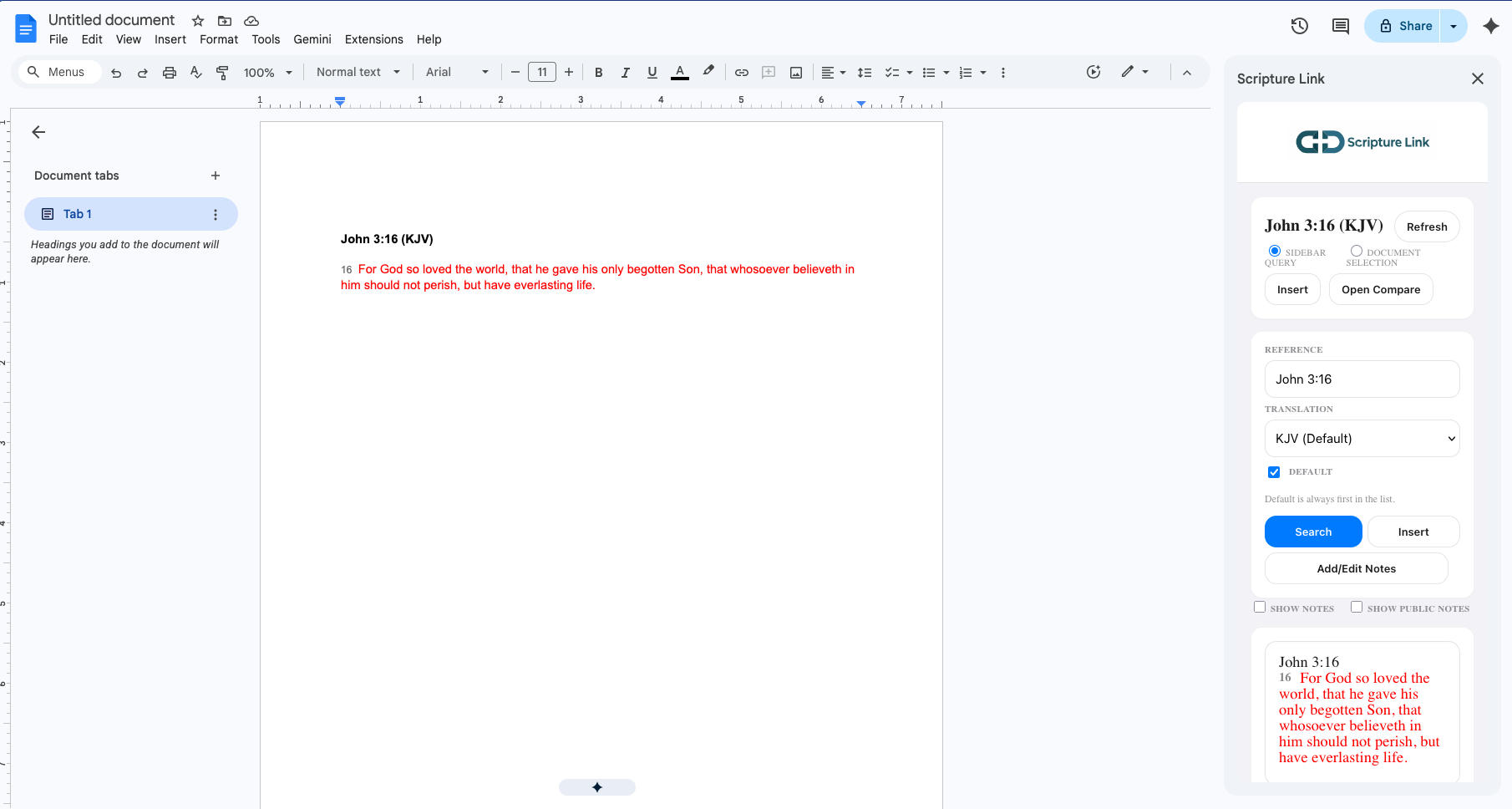
Search, compare, and insert Bible verses directly in Google Docs — without breaking your writing flow.
Install Scripture Link
The Bible, seamlessly integrated. Scripture Link is built for pastors, students, and writers who need to study and write side-by-side.
Search any passage, from `John 3:16` to complex ranges like `Genesis 1:1-10, 15`. It just works.
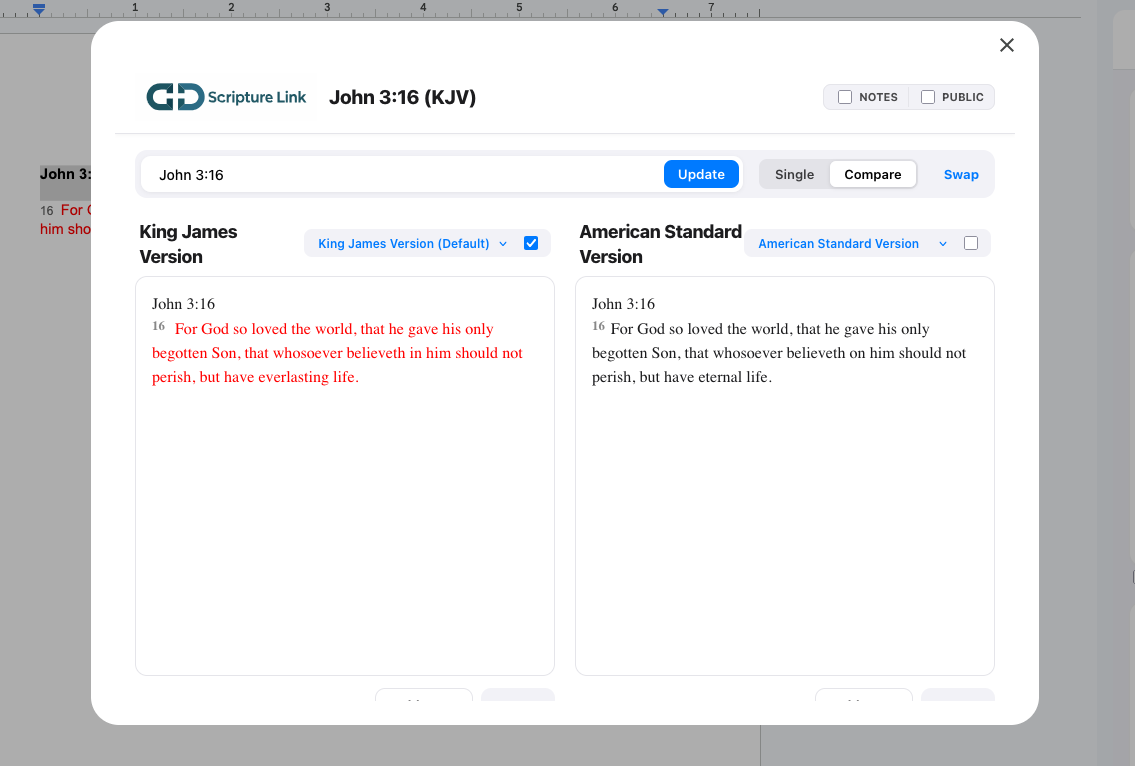
Launch the Compare View to see side-by-side translations from our growing library of Bibles with synchronized scrolling.
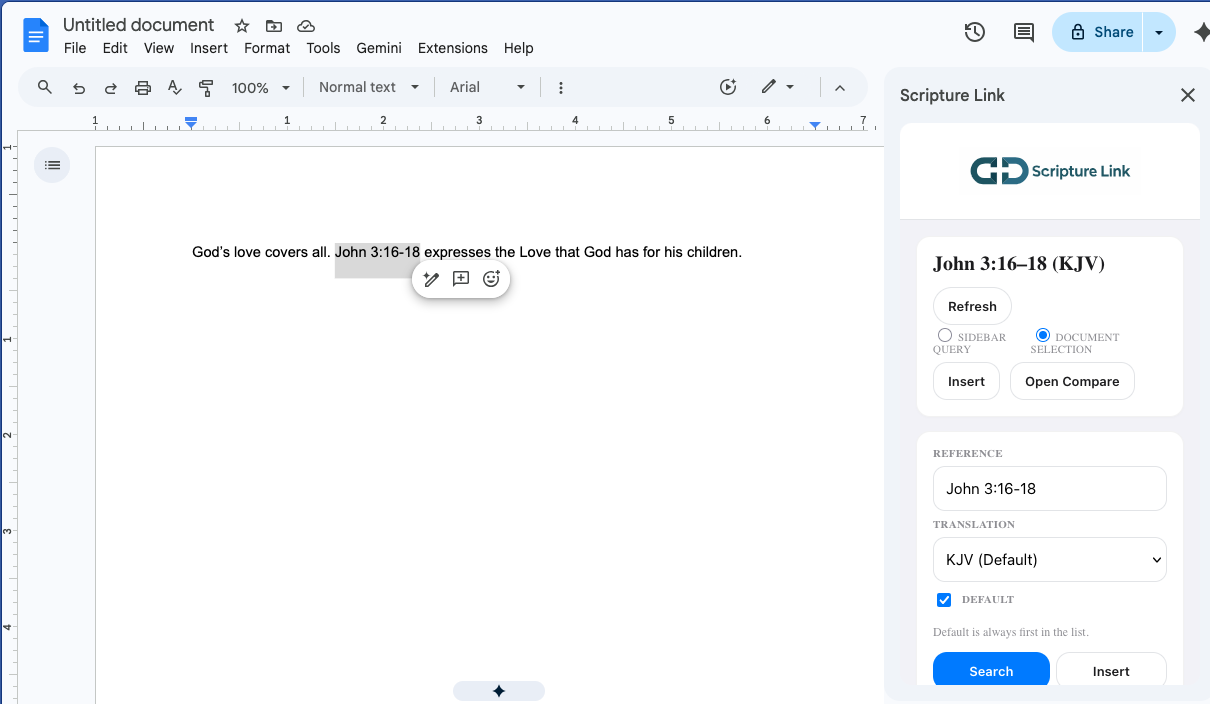
Select any reference in your Doc and search instantly without typing a single character. Focus on your study, not on re-typing verses.
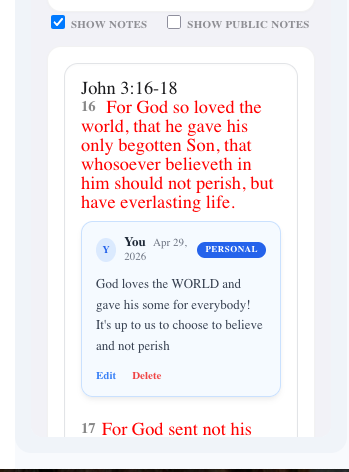
Capture insights directly on any verse. Use our new tagging system to categorize your studies, and find exactly what you need instantly with advanced note keyword search.
Efficiency is built in.
Mac Shortcut
Windows Shortcut
Type “Scripture” to open commands instantly.
(Note: Shortcuts are currently optimized for Google Chrome)
Scripture Link is a gift to the community. Whether you are preparing a sermon or conducting deep academic research, every feature of our tool—from comparison study to synced notes—is completely free to use.
Enjoy complete access to all premium study features right out of the box.
Your words are yours. We never store your Google Docs content. Your notes and preferences are encrypted in Google Cloud.